Handle RFQs faster
The app reads every RFQ that lands in your inbox, prices the customer's list from your ERP and your suppliers, and has the quote drafted for your salesperson to check and send. Follow-ups, order confirmations and the order into your ERP are prepared the same way, and nothing goes out without a person.
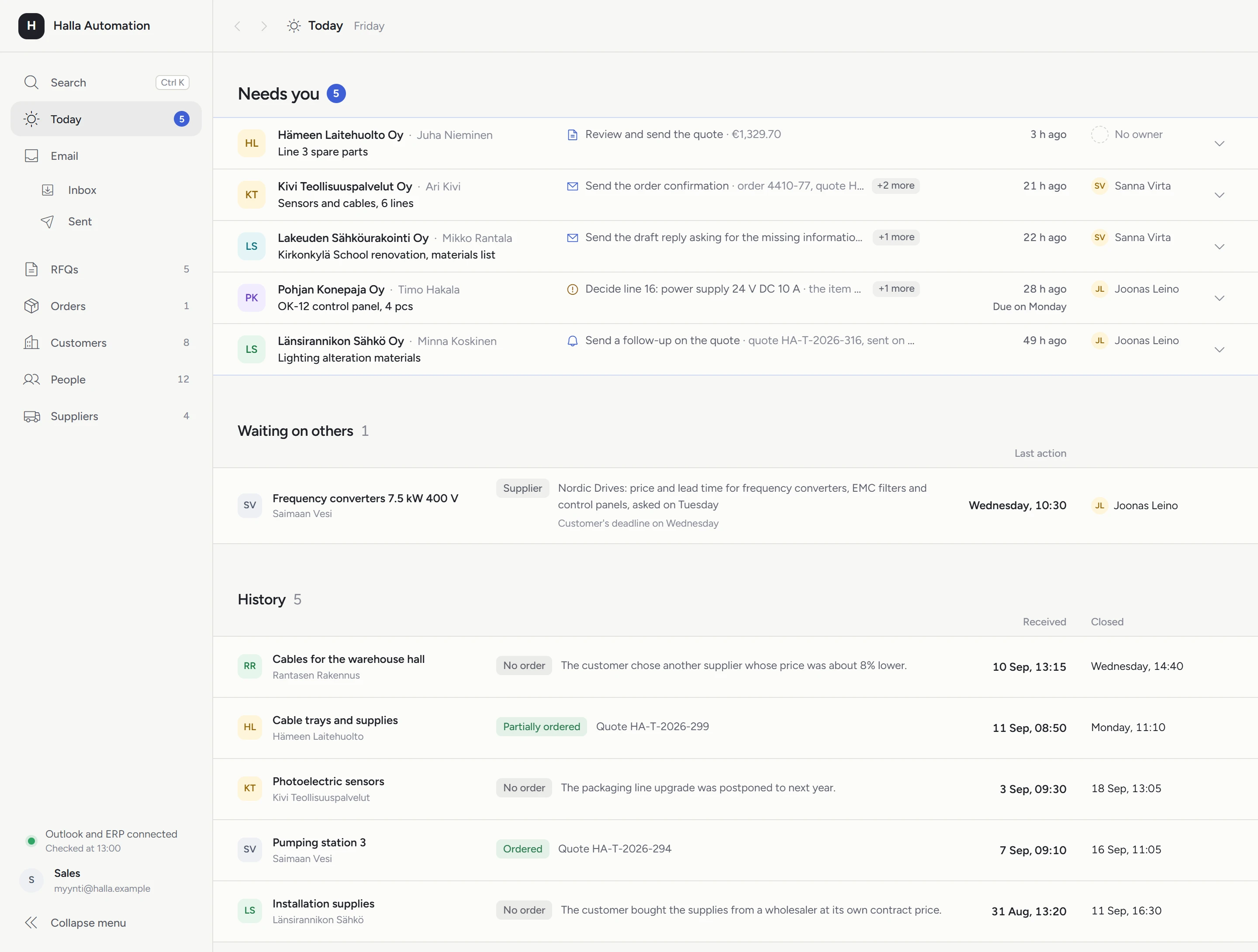
Few RFQs arrive complete
Missing details have to be requested from the customer, the customer's list is typed line by line into your own system, and each line needs a price from the price list or from a supplier. The messages sit in different people's inboxes, so nobody can see at a glance which RFQ is waiting on whom and which one is already late.
The app is built for companies that get dozens of RFQs a month, each with a parts list or product list whose lines are priced separately.
Electronics contract manufacturers
Prototypes and small series for many customers, where every BOM is priced from distributors' prices and lead times.
Technical distribution
Product lists from contractors and industry, where the lines need prices and lead times from manufacturers or suppliers.
From RFQ to order
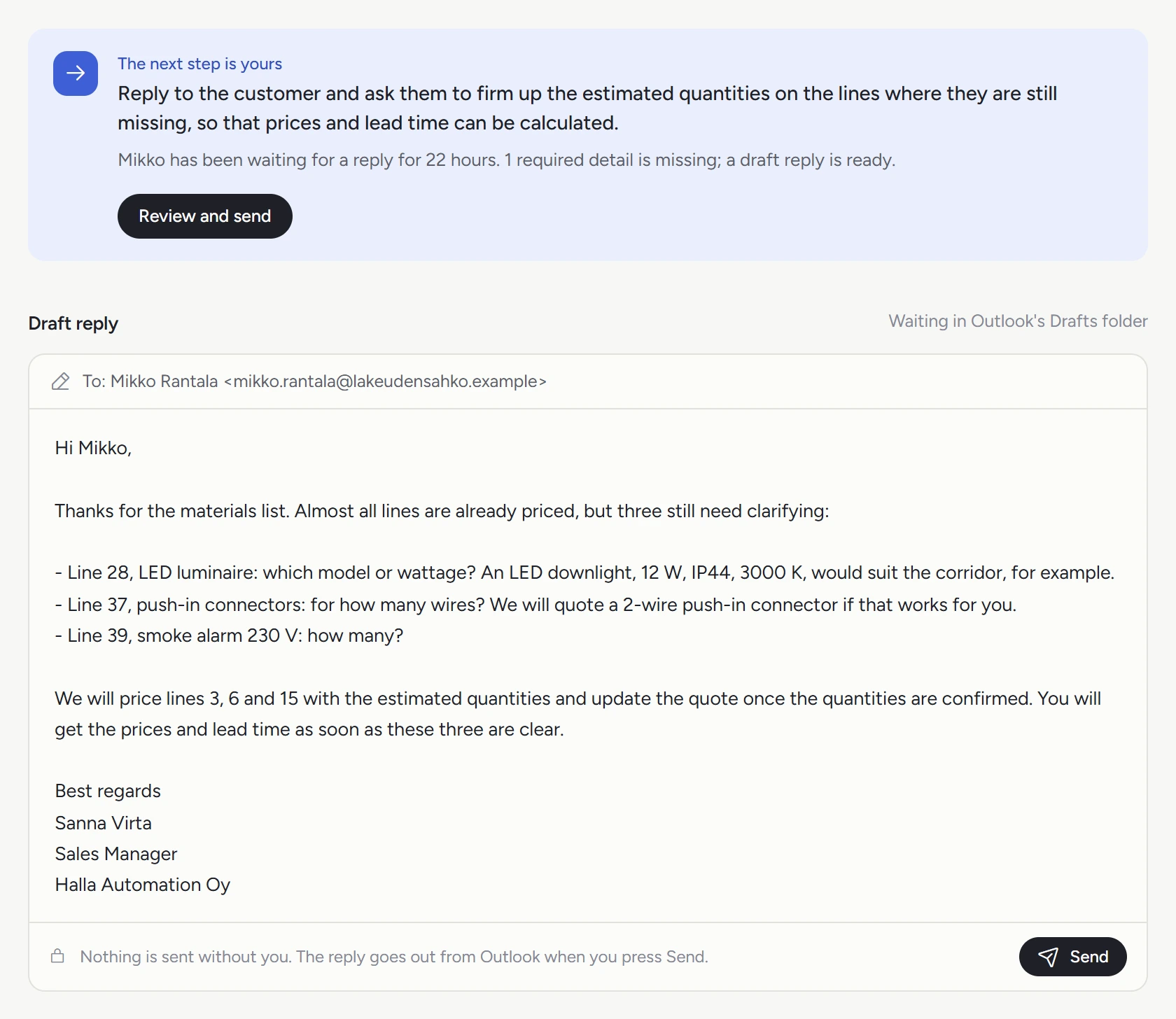
See what's missing as soon as an RFQ arrives
The app gathers the request's emails and attachments on one page, checks what the quote needs and drafts the reply asking for anything missing.
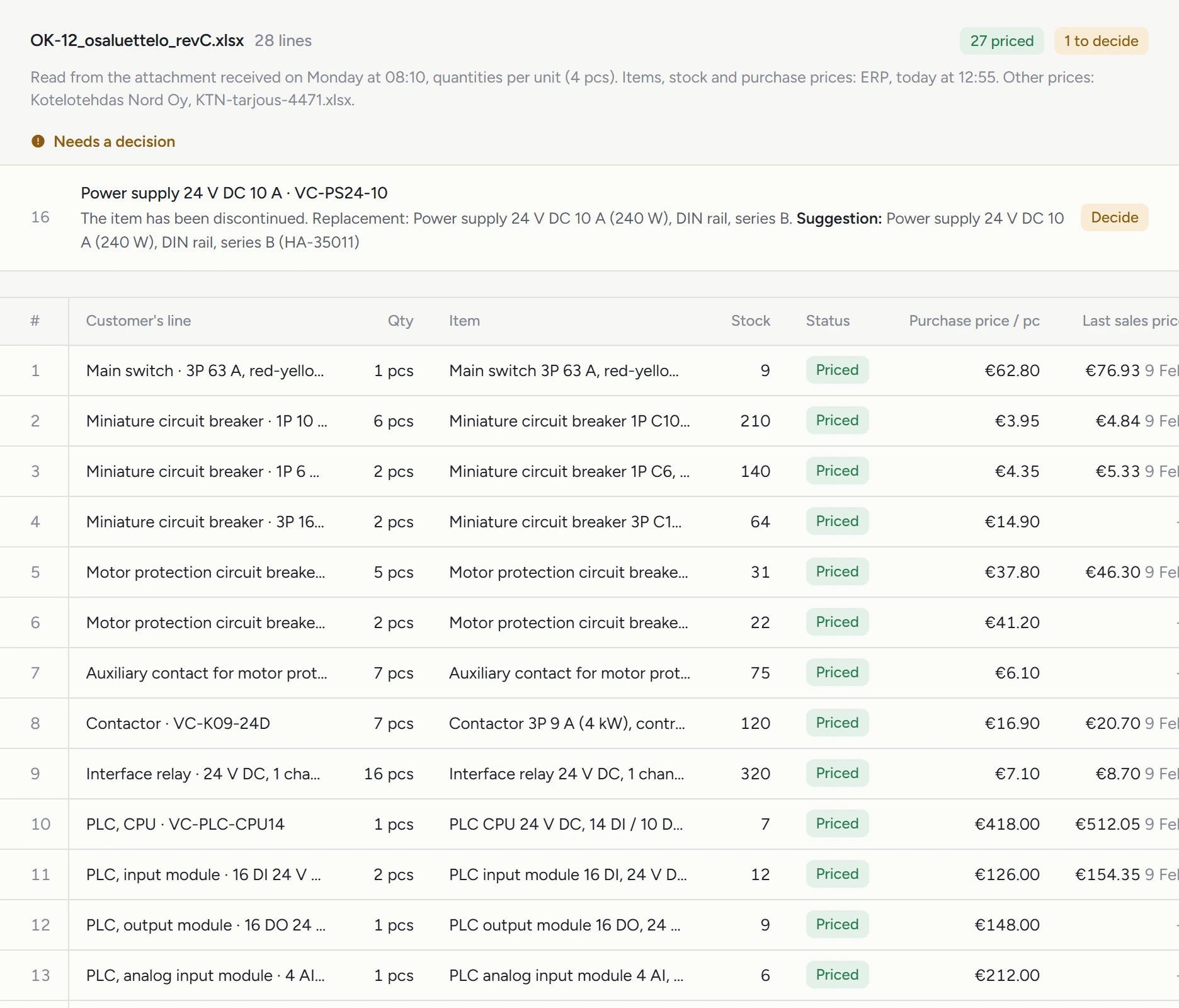
The customer's list, priced line by line
The app reads the parts or product list from the attachment, matches each line to your products and prices it from your ERP, price lists and supplier quotes. Lines it isn't sure about are flagged with a suggestion.
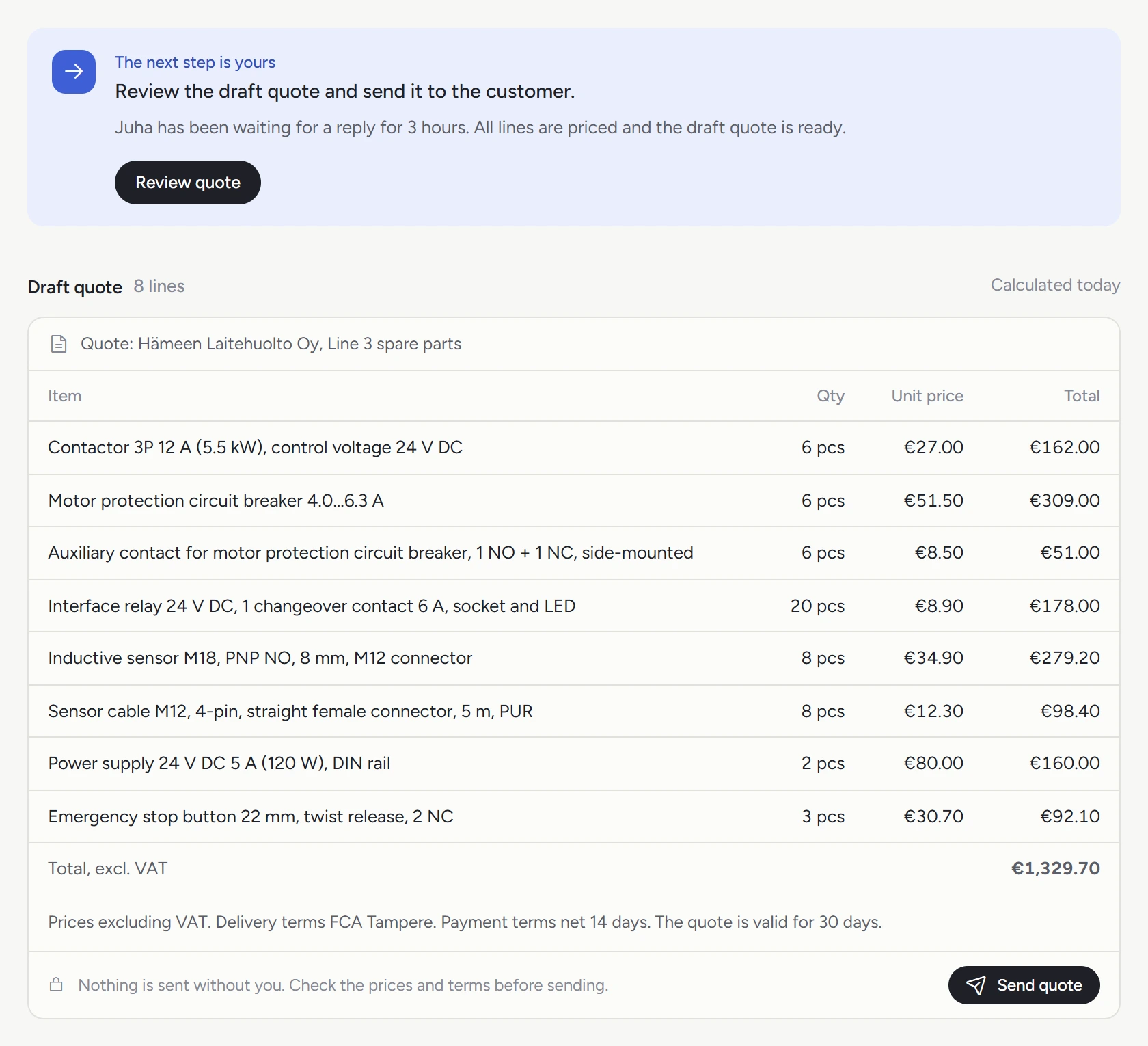
A draft quote on your own pricing rules
Once the lines are priced, the calculation and the draft quote follow your company's own rules, ready to send.
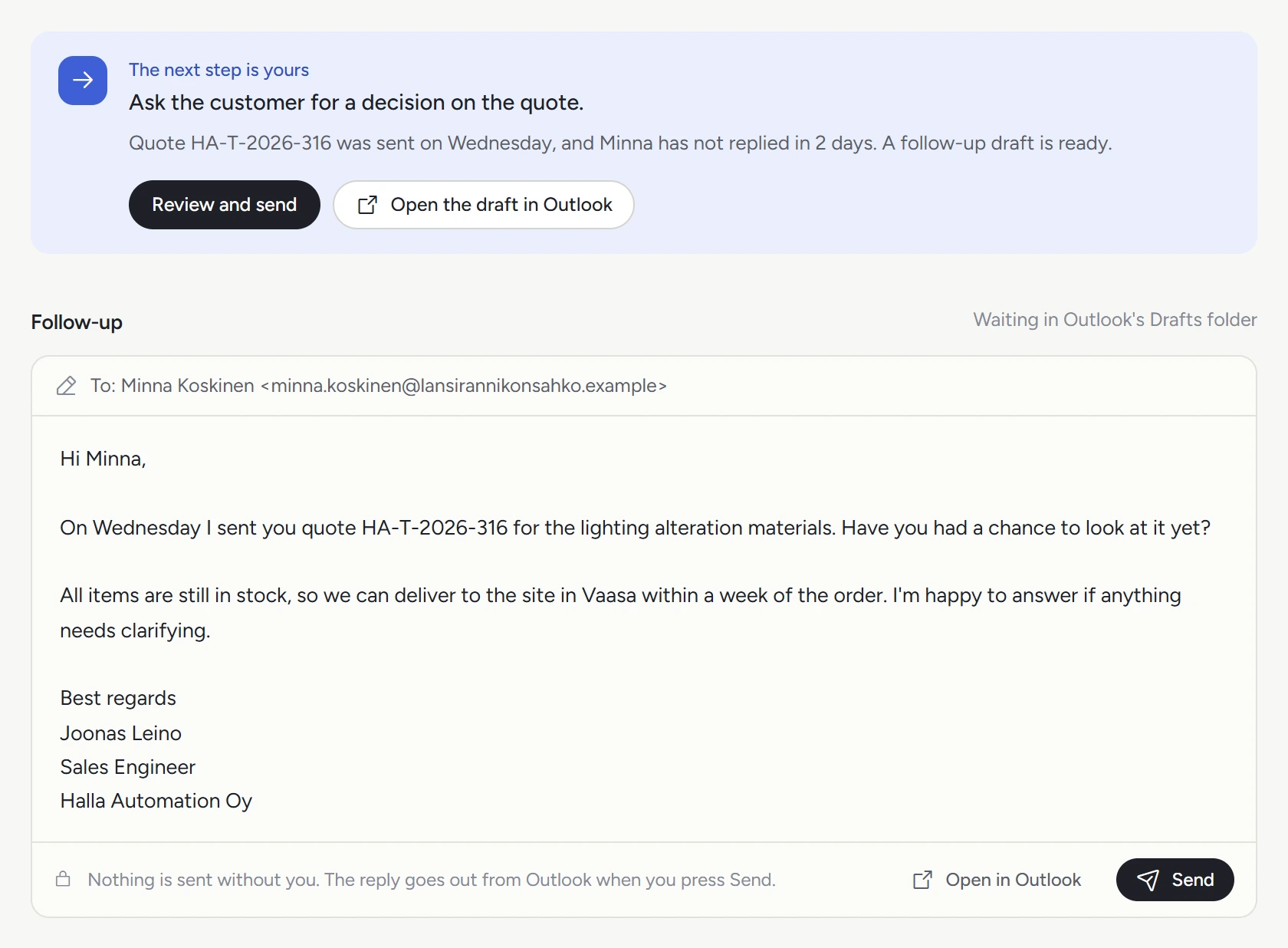
Every quote followed up
If the customer hasn't replied in two working days, a follow-up is drafted, and the page shows how long the quote is valid.
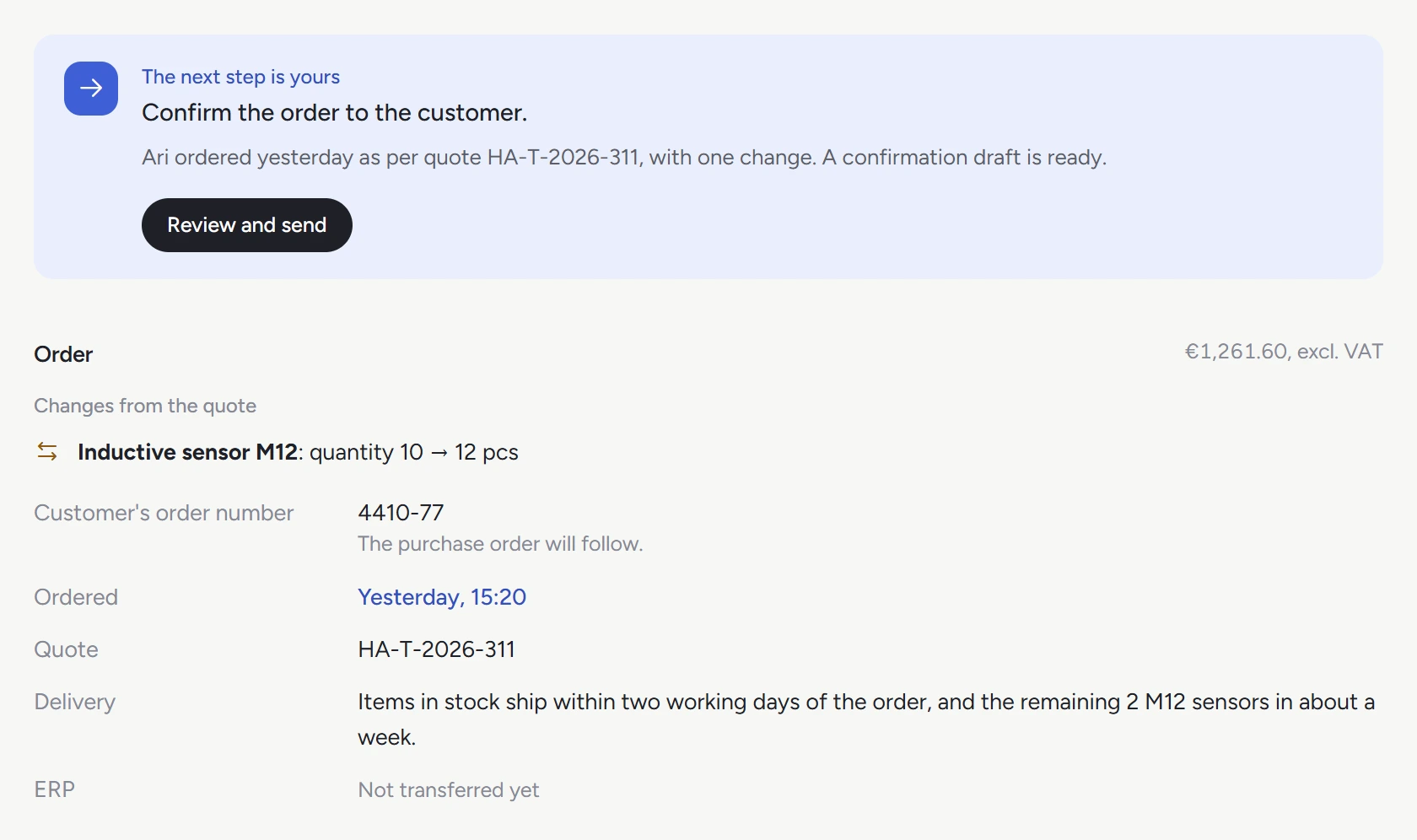
Orders checked against the quote
When the order arrives, the app compares it with the quote, drafts the order confirmation and groups the lines not in stock into purchase orders by supplier. The confirmed order goes into your ERP.
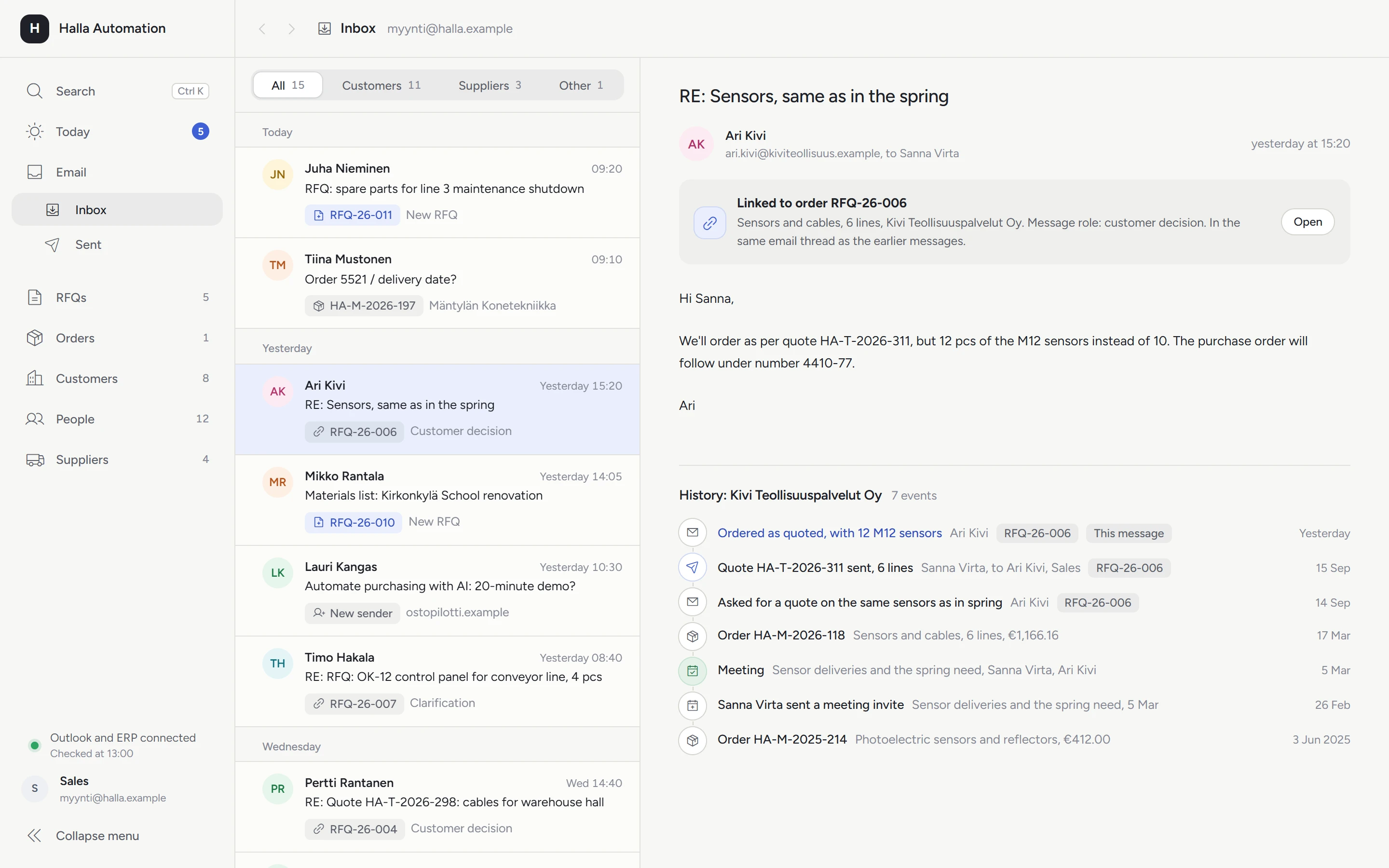
Stay on top of every request and order
Many companies handle RFQs and orders by email alone, so the information is scattered across different people's inboxes. In the app, every email shows which request, order, customer or supplier it belongs to, and under the email you see the customer's whole history: earlier emails, quotes, meetings and orders from the ERP.
Your data stays with you
- The app runs in your company's own Microsoft environment in the EU.
- It reads only the mailboxes and folders you agree on, and your administrator can see its permissions and remove them.
- Thousandhouse has no account in your Microsoft 365 and no access to your data.
How we proceed
- 1
Demo. We show you the app in a 20-minute Teams meeting.
- 2
Trial. You try the app free of charge before you decide.
- 3
Installation. Your administrator approves the app's permissions during a remote installation, and the app is set up for your lists, pricing rules and ERP.
- 4
The first month. We adjust the app week by week based on your users' feedback.
What is tailored to your company
- what a complete RFQ contains and which stages an RFQ goes through
- how your customers' lists are read
- where products are identified from: your item master, price list or distributors' catalogs
- where prices come from: your price list, supplier quotes or distributor APIs
- the calculation rules or your own calculation template, and the quote template
- ERP: where products, stock, prices and customer terms are read from and where orders are sent
- mailboxes, users and suppliers
Pricing
Setup
€2,900 + VAT
Requirements review, the first version, installation and the ERP integration, plus changes during the first month of use.
Monthly fee
€590 / month + VAT
Maintenance, updates and support. No fixed term, and you can stop at any time.
Microsoft bills its usage fees to you directly, estimated at a few tens of euros a month.
Questions
What do you need from us?
You need an administrator or IT partner who approves the app's permissions during a remote installation, a payment method on your Microsoft account for the usage fees and the mailboxes we agree on. Beyond that, no IT expertise is required.
We already have a CRM or ERP. Does the app replace it?
No, the app works alongside them: it reads data from the ERP and sends orders into it. If you do not have a CRM, the app can serve as one.
Does the app work with our ERP?
The ERP integration is part of the setup. The app reads products, stock, prices and customer terms through the ERP's interface and sends orders into it, and if there is no interface, the data is read from files the ERP produces.
We use Business Central. Doesn't Microsoft's own agent already do this?
Microsoft's agent creates quotes for items that are already set up in Business Central, while this app is built for RFQs that need to be clarified with the customer and priced with suppliers.
Does the AI read all our email?
No. The app reads only the mailboxes you agree on, such as a shared quotes@ address, and it has no access to other mail, calendars or files. The language model gets the message text and the list lines only after names, contact details and prices have been hidden, and it runs in your company's own Microsoft environment in the EU. Microsoft does not use the data to train models, and prices and the calculation are computed in code.
What if the app reads a line wrong?
Every line that is read is checked against the original file. Lines that cannot be confirmed are shown to the salesperson to decide, and a person always sends the quote.
What happens if we stop?
Your administrator removes the app and its permissions, and since your data is in your own environment the whole time, you can save it before the app is removed.

Antte AlataloFounder, Thousandhouse
Book a demo
In a Teams meeting we show you the app and go through how RFQs move through your company.
Book a 20-minute demoWe also build custom CRMs and views, in Microsoft 365 or elsewhere. Custom apps